dashboard
NEXUS — Developer Command Center
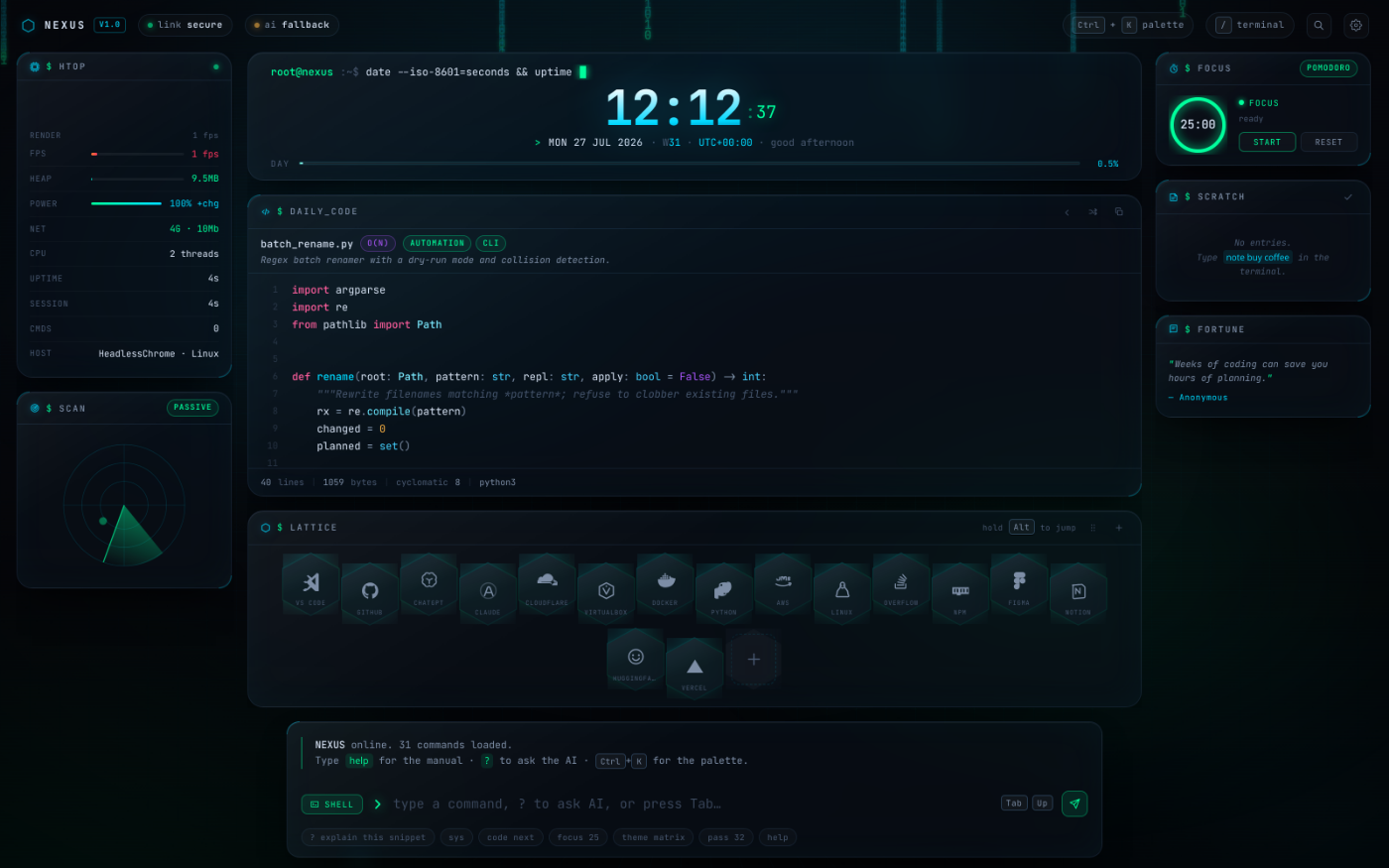
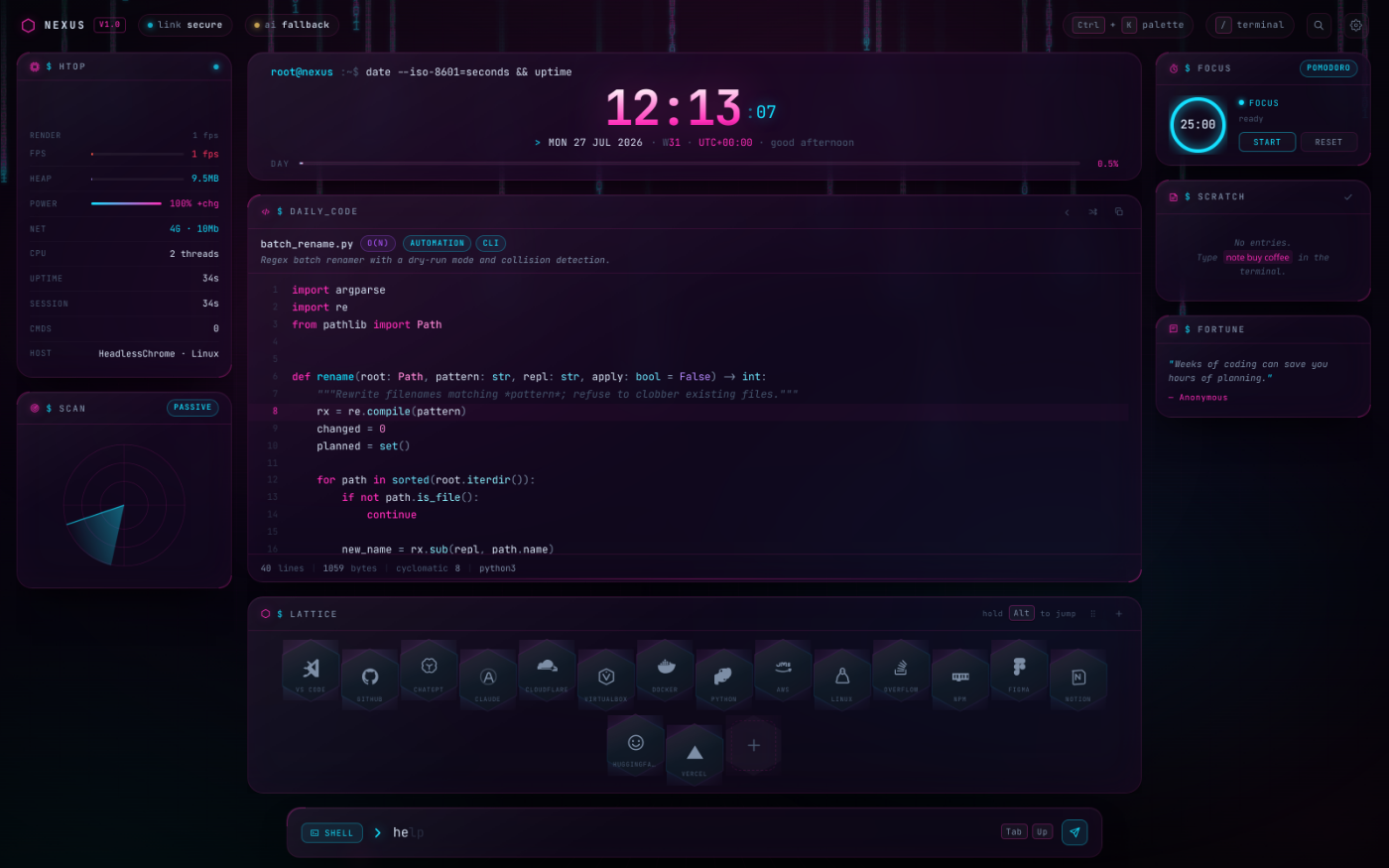
A futuristic New Tab extension: deep-obsidian glassmorphism, electric-blue and matrix-green neon, a terminal-style clock, a syntax-highlighted daily Python card, a hexagonal quick-launch lattice, and a real AI command line.
Vanilla ES modules. Zero runtime dependencies. Zero network requests unless you explicitly configure an AI provider.
Install
Chrome / Edge / Brave / Opera
- Open
chrome://extensions - Enable Developer mode (top-right)
- Click Load unpacked and select this folder
- Open a new tab
Firefox
cp manifest.firefox.json manifest.json # back up the Chrome one first
- Open
about:debugging#/runtime/this-firefox - Click Load Temporary Add-on…
- Select
manifest.json
Firefox does not let an extension take over the new tab without the
browser_specific_settingsid that is already inmanifest.firefox.json.
As a plain website
chrome_url_overrides is Chrome-only, but the page itself is a normal static site:
npm run serve # http://localhost:8080/newtab.html
It falls back from chrome.storage.local to localStorage automatically.
Note that ES modules do not load over file:// — you need an HTTP server.
The five core widgets
| Widget | What it does |
|---|---|
| Chrono | Live terminal session: typed date --iso-8601 command, huge gradient clock, ISO week, UTC offset, timezone, and a day-progress bar. Glitches on the hour. |
| Daily Code | A Python snippet chosen deterministically from the date, so it is stable all day and rotates at midnight. 18 real algorithms and automation scripts with complexity badges. |
| Lattice | Hexagonal quick-launch grid. Drag to reorder, Alt+1…9 to jump, hold Alt to reveal the numbers, edit inline or from settings. |
| AI Terminal | 31 local commands, history, Tab completion, ghost autocomplete, and streaming AI replies. |
| Background | Canvas data-rain, parallax cyber-grid, aurora blooms, CRT scanlines and film grain — all behind a glass blur, all pausing when the tab is hidden. |
Plus a system telemetry rail (real FPS, heap, battery, network), a radar, a
focus/Pomodoro ring, a scratchpad, a daily quote, a Ctrl+K command
palette, and a BIOS boot sequence.
The AI terminal
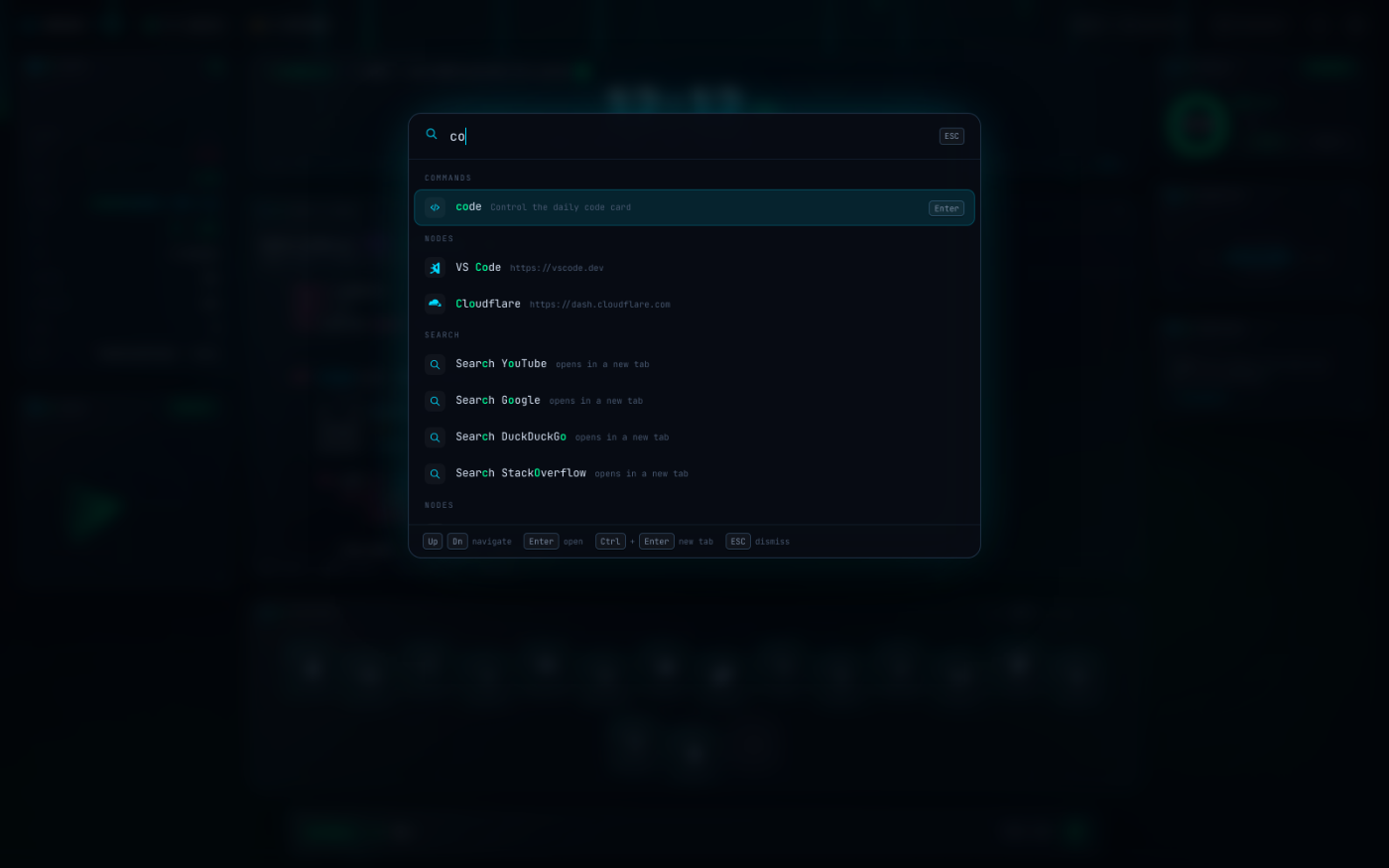
Type at the bottom of the screen. It is a real command engine, not a search box.
help                    # grouped manual for every command
? how do I reverse a linked list in python
ai explain the walrus operator
sys                     # live telemetry
code next               # rotate the code card
open github             # launch a lattice node
!gh react hooks         # bang-search GitHub
calc (17*3)+sqrt(81)    # safe arithmetic, no eval()
pass 32                 # strong password, copied to clipboard
hash correct horse      # sha-256
b64 enc hello           # base64
uuid                    # uuid v4
note ship the extension # scratchpad
focus 25                # start a focus block
theme matrix            # ice | matrix | synthwave | amber
export                  # download a JSON backup
Anything unrecognised falls through to: a bare URL opens, bare arithmetic calculates, everything else searches.
Connecting a model (BYOK)
Your key is stored in chrome.storage.local on this device and is sent only to
the provider you name. There is no proxy and no telemetry.
key openai      sk-...
key openrouter  sk-or-...
key groq        gsk_...
key anthropic   sk-ant-...
key ollama                 # local, no key needed
Then ai <prompt> streams the reply straight into the transcript with markdown
and syntax highlighting.
With no key configured the ai command still works — it deep-links to
ChatGPT, Claude, Perplexity or Gemini with your prompt pre-filled. Pick which one
in settings.
Keyboard
| Key | Action |
|---|---|
Ctrl/⌘ + K |
Command palette (fuzzy jump to any node, command or snippet) |
/ or Ctrl + ` |
Focus the terminal |
| any letter | Starts typing into the terminal, like a real console |
Alt + 1…9 |
Launch lattice node (hold Alt to see the numbers) |
Ctrl + M |
Cycle terminal mode: shell → ai → web |
Ctrl + , |
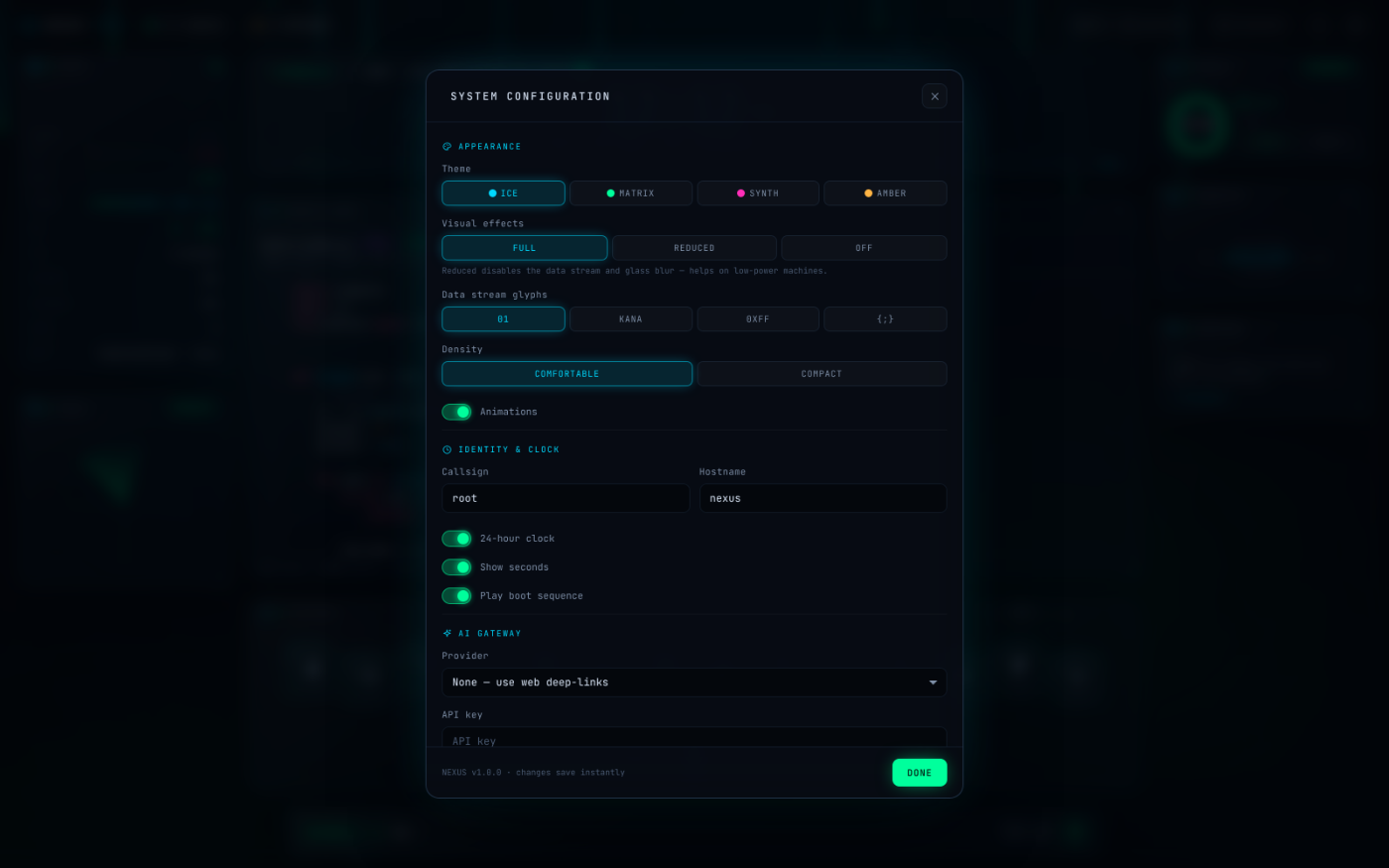
Settings |
Ctrl + L |
Clear the transcript |
Tab / → |
Accept completion · ↑/↓ history |
R · C |
Next snippet · copy snippet |
T · F |
Cycle theme · toggle focus timer |
Esc |
Dismiss, or cancel a streaming AI reply |
Themes
Four accent ramps, switched with T, the theme command, or settings.
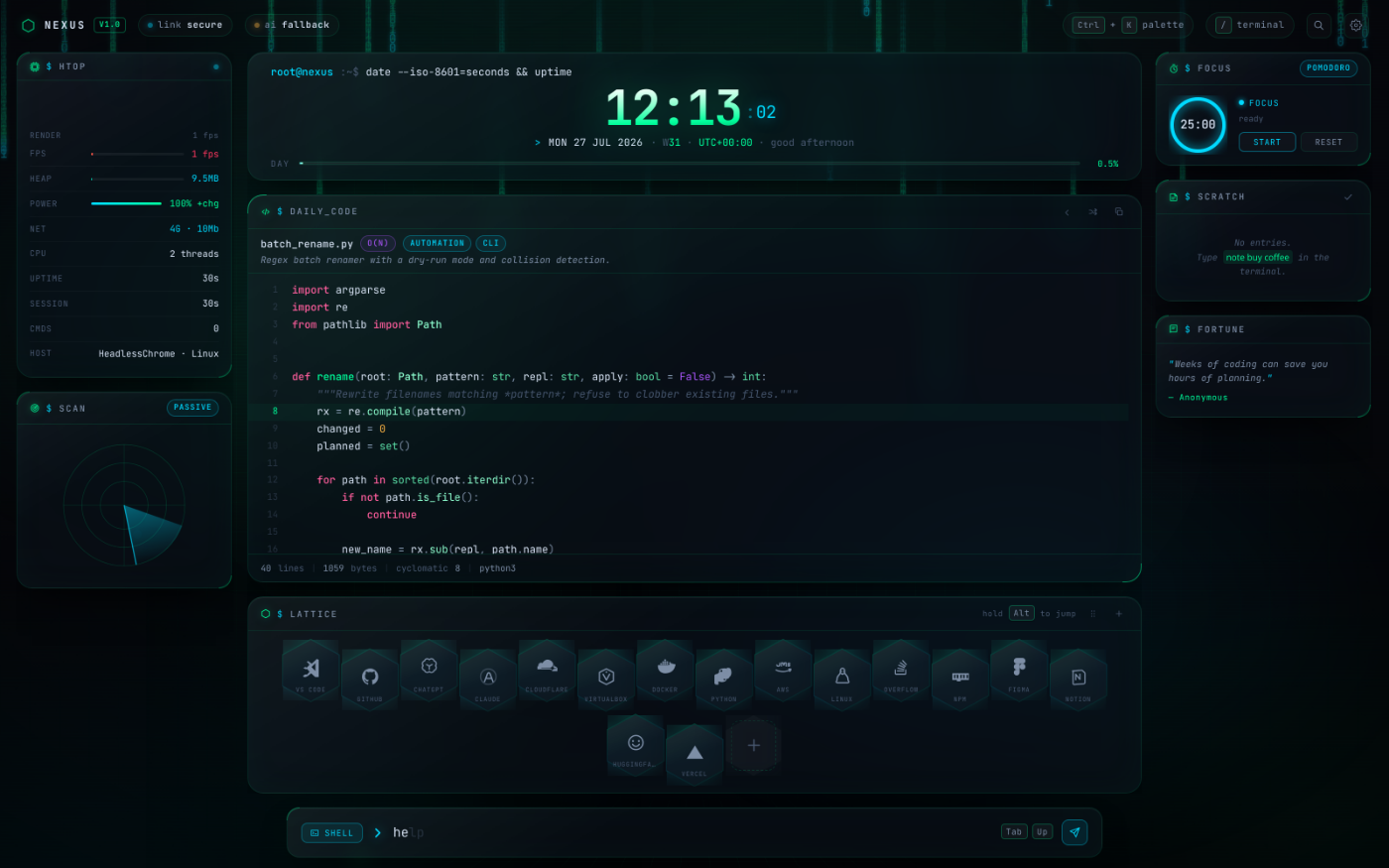 |
 |
| matrix | synthwave |
Privacy
- No analytics, no tracking, no external calls. Fonts are bundled locally.
- The only permission requested is
storage. There are no host permissions. - Telemetry in the status rail is read from real browser APIs (
performance.memory,navigator.connection, Battery API) and never leaves the page. - Your AI key is local-only.
key clearwipes it;reset --confirmwipes everything.
Development
npm install          # jsdom + puppeteer-core, for tests only
npm test             # 176 assertions: boots the real page in jsdom
npm run serve        # preview at localhost:8080/newtab.html
The test suite boots newtab.html in jsdom with stubbed browser APIs and asserts
on the resulting DOM, then exercises the command engine, store, highlighter and AI
layer directly. It also enforces two project rules:
- no remote assets may be referenced from any shipped file, and
- no glyphs outside the bundled JetBrains Mono subset may appear in user-visible strings (they would render as tofu boxes on a bare system).
Two Chromium-backed dev scripts are also included:
CHROME_BIN=/path/to/chromium node scripts/layout-check.mjs   # 12 viewports, asserts nothing overflows
CHROME_BIN=/path/to/chromium node scripts/shoot.mjs          # regenerate docs/screenshots
layout-check.mjs is the guard against the class of bug that is easy to introduce
here: the stage’s vertical budget must always balance so the honeycomb is never
sliced and the terminal never leaves the viewport.
Layout
┌──────────────────────── topbar ─────────────────────────┐
│ rail-left │            stage             │  rail-right  │
│  htop     │  chrono / codex / lattice    │  focus       │
│  radar    │                              │  scratch     │
│           │                              │  fortune     │
└──────────────────────── dock (terminal) ────────────────┘
Rails drop out at 1280px and 940px. All vertical dimensions are clamp()ed
against viewport height rather than stepped through breakpoints, so the budget
adds up continuously from 720p to 1440p.
Project structure
newtab.html               # shell — no inline script, CSP-safe
manifest.json             # Chrome MV3
manifest.firefox.json     # Firefox MV3
src/css/
  theme.css               # design tokens + the four themes
  main.css                # layout, glass primitive, responsive scale
  widgets.css             # per-widget styling
  terminal.css            # terminal, palette, settings
src/js/
  core/    store dom ai commands keys
  widgets/ clock codex nodes terminal palette settings
           system focus notes background boot toast
  lib/     pyhl.js (Python tokenizer) icons.js (60 SVG glyphs)
  data/    snippets.js nodes.js quotes.js
assets/fonts/             # JetBrains Mono, subset, ~156KB
Notable implementation choices
src/js/lib/pyhl.jsis a purpose-built Python tokenizer (~2 KB) rather than a 200 KB highlighting library. It handles docstrings, f-strings with nested{expr}interpolation, decorators, type hints anddef/classbinding positions, and escapes all HTML on the way out.icons.jscontains 60 original SVG glyphs on a shared 24×24 grid — no icon package, no bundled brand assets.calcparses arithmetic with a recursive-descent parser. It never callsevalornew Function, and rejects any token outside its grammar.- The background canvas caps itself at 30 fps, pauses on
visibilitychange, and switches off entirely underprefers-reduced-motionorfx: low/off.
License
MIT